 VoiceDuckerOpen source
My music. My voice. My volume.
I was tired of a browser tab shouting over my music.
Spotify is playing something relaxing. I open YouTube and a video blasts out. I built VoiceDucker because I was tired of that, and because I use AI with my voice all day.
- Windows 11
- x64 / ARM64
- MIT
My own automatic volume control
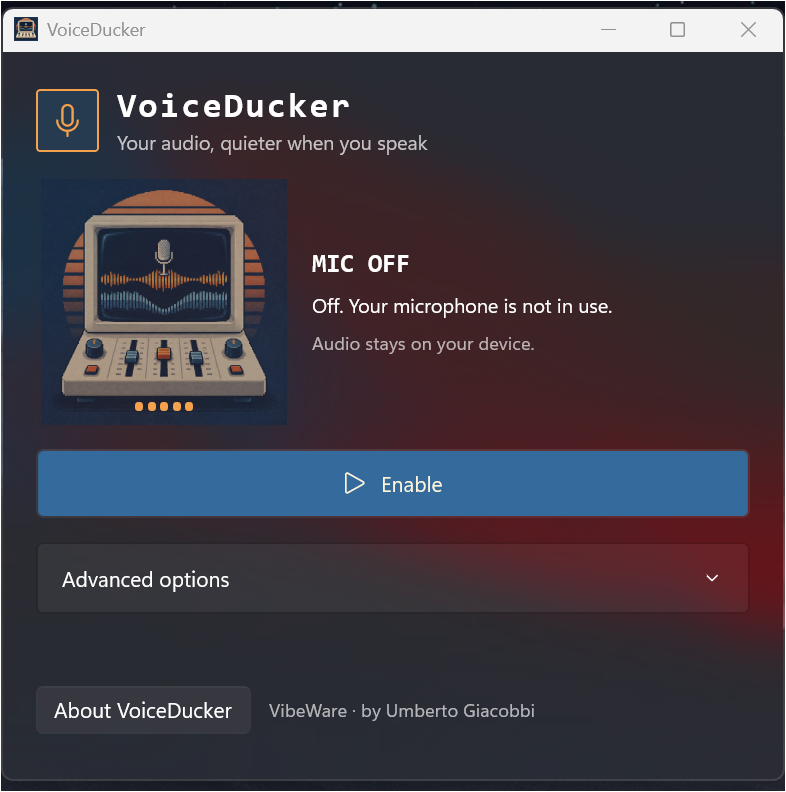
I wanted something in the spirit of AGC, Automatic Gain Control: less chasing sliders, more control over what I hear. VoiceDucker combines per-app volume controls with microphone-triggered ducking. When sound crosses the threshold, I lower the selected apps, then bring them back gently.
My voice-first workflow also connects to another project I’m developing: Cody / Luna Shell, my personal AI companion.
A slider for each app
I give each detected app its own volume slider: Spotify, Chrome, Edge, Opera and other playing apps. Spotify is selected for ducking by default; I can include the others.
Down gently. Back up gently.
I set how much to lower the sound, how quickly it fades down, how long to wait through pauses and how slowly it returns. When I speak, the music makes room.
The microphone stays local
I detect sound levels in memory, without recording or uploading audio. If the microphone also picks up sound from my speakers, that can trigger ducking too.
Put some music on. Then talk.
- I download the Windows x64 or ARM64 ZIP from GitHub Releases.
- I extract the whole archive and open VoiceDucker.exe, keeping its companion files together.
- I press Enable, speak at my usual volume and adjust sensitivity if needed.
A small Windows utility
I share portable Windows 11 builds with their runtimes included. The downloads are unsigned, so Windows may show a security prompt. I publish the code under MIT for anyone who wants to inspect, adapt or contribute.
Explore my code