VibeKit · Small desktop tools
Mini utilities.
Small ideas I wanted on my own desktop: a ripple when I click, and a quiet view of my Codex allowance. Two utilities, each with its own controls and requirements.

Ripple
Water-like waves on your desktop.
A click. A ripple.
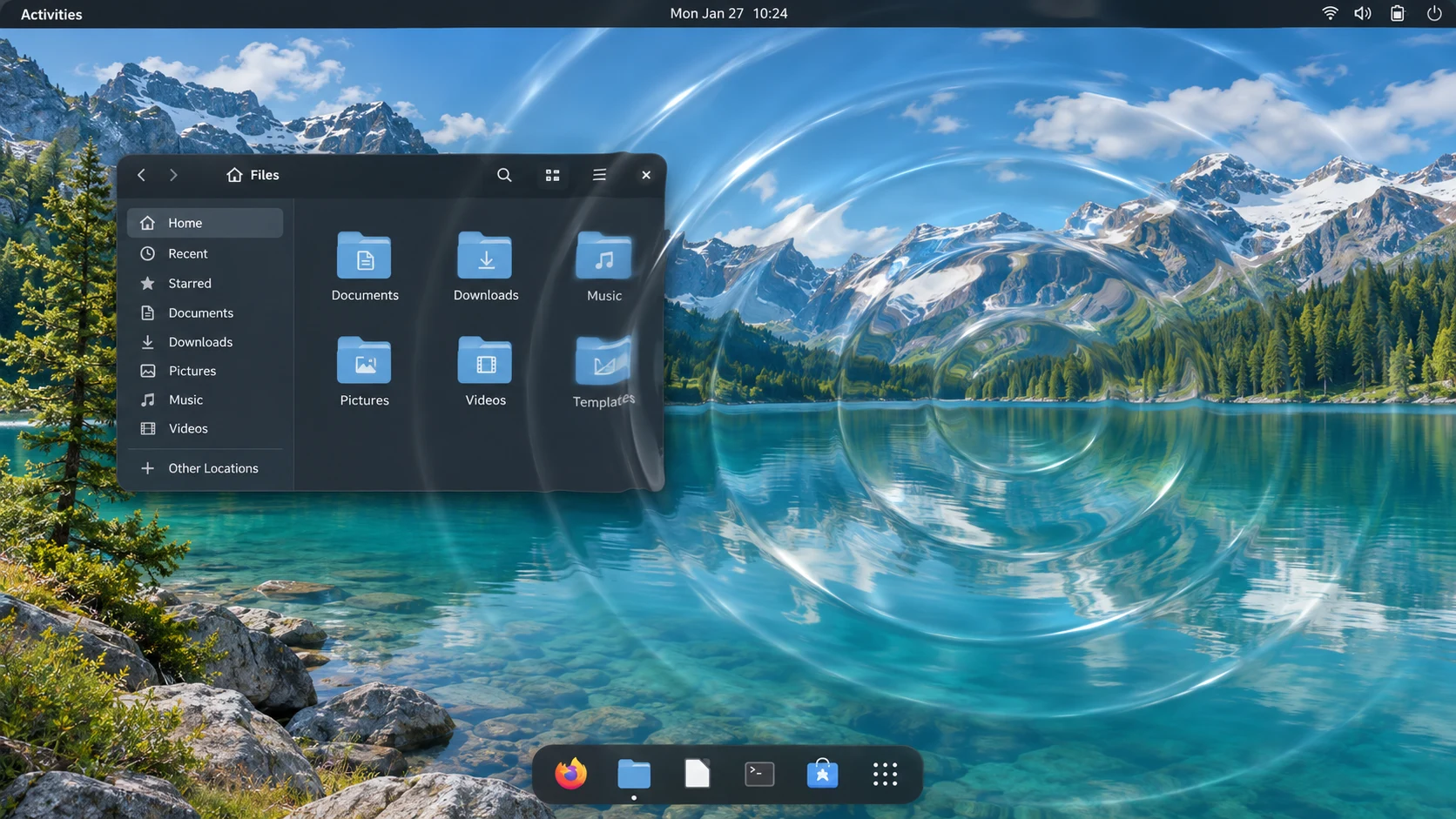
I built Ripple to make my desktop respond to clicks with water-like waves. Adjust their shape, reflections and intensity, then save your favorite effects.
- Make the waves your own
- Start with a built-in effect, adjust it and save your own version. Import and export your saved effects between the Windows and Linux editions.
- Control the effect
- Pause or stop it manually, hide the controller in the tray and use the platform’s emergency shortcut when needed.
- Pause when needed
- On GNOME, slowdowns can pause the effect. You can enable automatic recovery after conditions remain stable. Manual stops stay in effect, and notifications explain pauses and resumptions.
OpenAI Usage
An independent widget for Codex allowances.
My Codex allowance, at a glance.
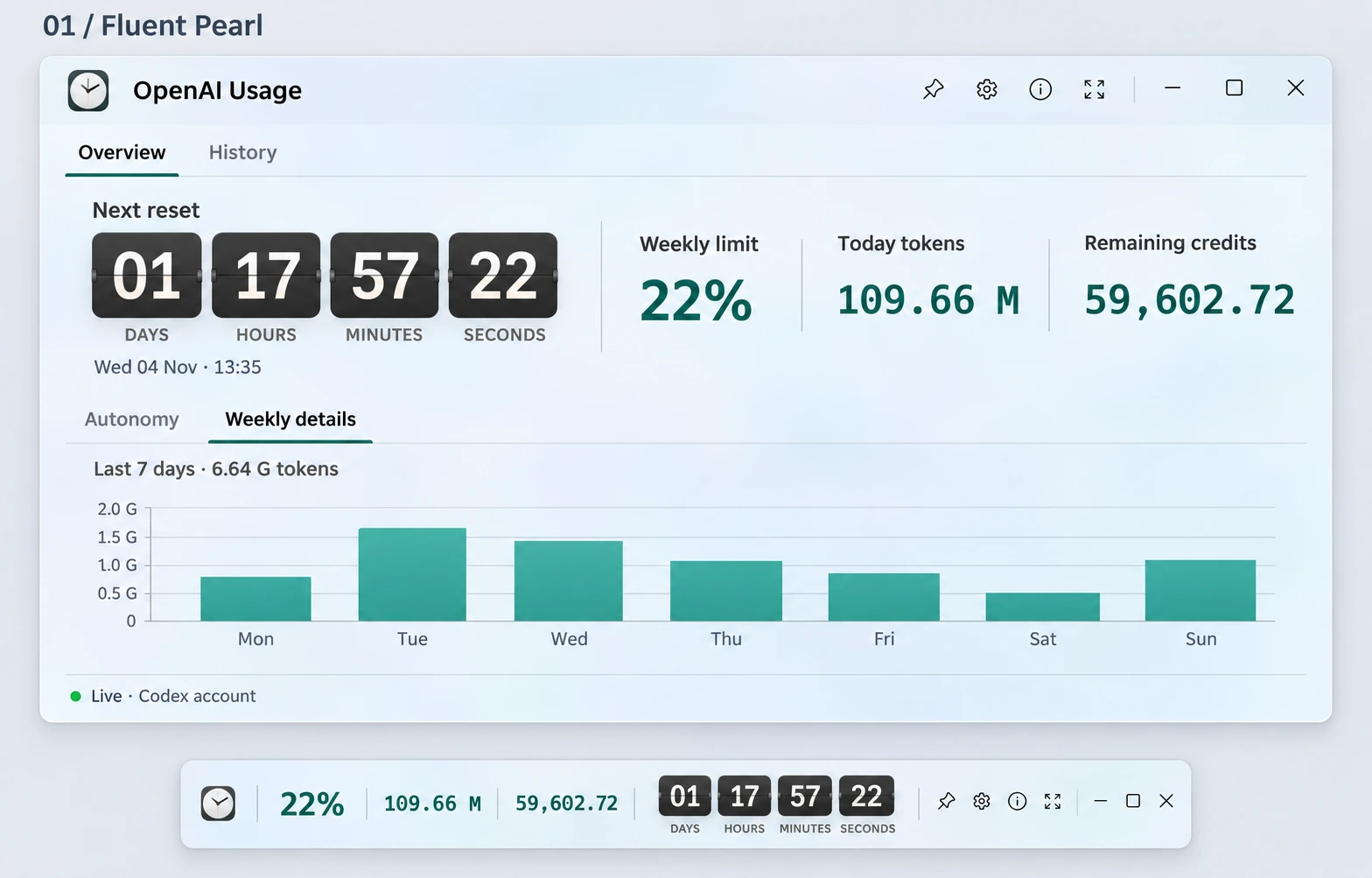
I wanted to see how much Codex allowance I have left without opening another page. OpenAI Usage keeps the remaining percentage, reported credits and time to reset in a compact desktop widget.
- Allowance and reset
- See your remaining allowance, upcoming reset dates and a countdown in your selected time zone.
- How long it could last
- An estimate uses your locally observed allowance consumption to help you plan. It changes with your usage; missing readings remain unavailable.
- At home on your desktop
- Native interfaces for Windows and Linux keep preferences and allowance observations on your computer. If its monitored memory limit is exceeded, the widget closes and warns you; you decide when to reopen it.