 UlanziDock VibeWareOpen source
My desk, one button away
I wanted useful buttons. So I built my own controller.
I made UlanziDock VibeWare to put my shortcuts, music and everyday apps on the Ulanzi D200H. A small native Rust app, with buttons I can make my own.
- Ulanzi D200H
- Rust
- MIT
A handful of buttons should feel simple
I bought a D200H to make my desk easier to use. I wanted to choose the artwork and decide what each button did, without a bulky software stack. That became my independent, open-source controller.
Nine pages for my day
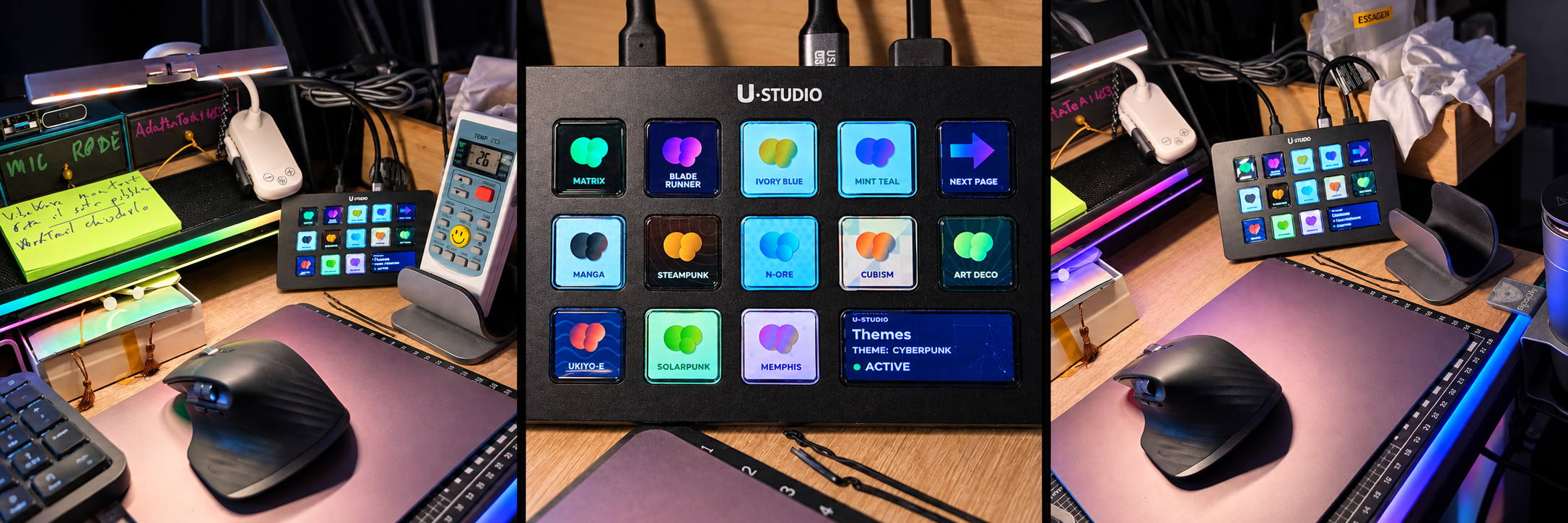
I keep Windows and media controls, utilities, Codex, VS Code, Spotify, Word, PowerPoint, Excel and themes within reach.
Buttons that follow my work
On Windows, I can enable app detection and automatic page switching. App-specific buttons dim when their app is not in focus.
Thirteen ways to make it mine
I choose a theme on the dock or in the configuration window, edit shortcuts and optionally use the large display for page, theme and activity status.
From the archive to my desk
- I choose a release for my computer and extract the entire archive.
- On Windows, I open ulanzi-dock-vibeware.exe and follow the welcome screens.
- From the tray menu, I open About, then Configure, choose my pages and theme, and save.
Where I have checked it
I have checked button events, the clock, navigation and the status display on Windows x64 hardware. Office pages and automatic switching still need a physical dock check. Linux, macOS and ARM64 device behavior is not physically verified; the tray and app detection are Windows features.
Explore my code